Boxed Personalised Song Code Metal Individual Keyring
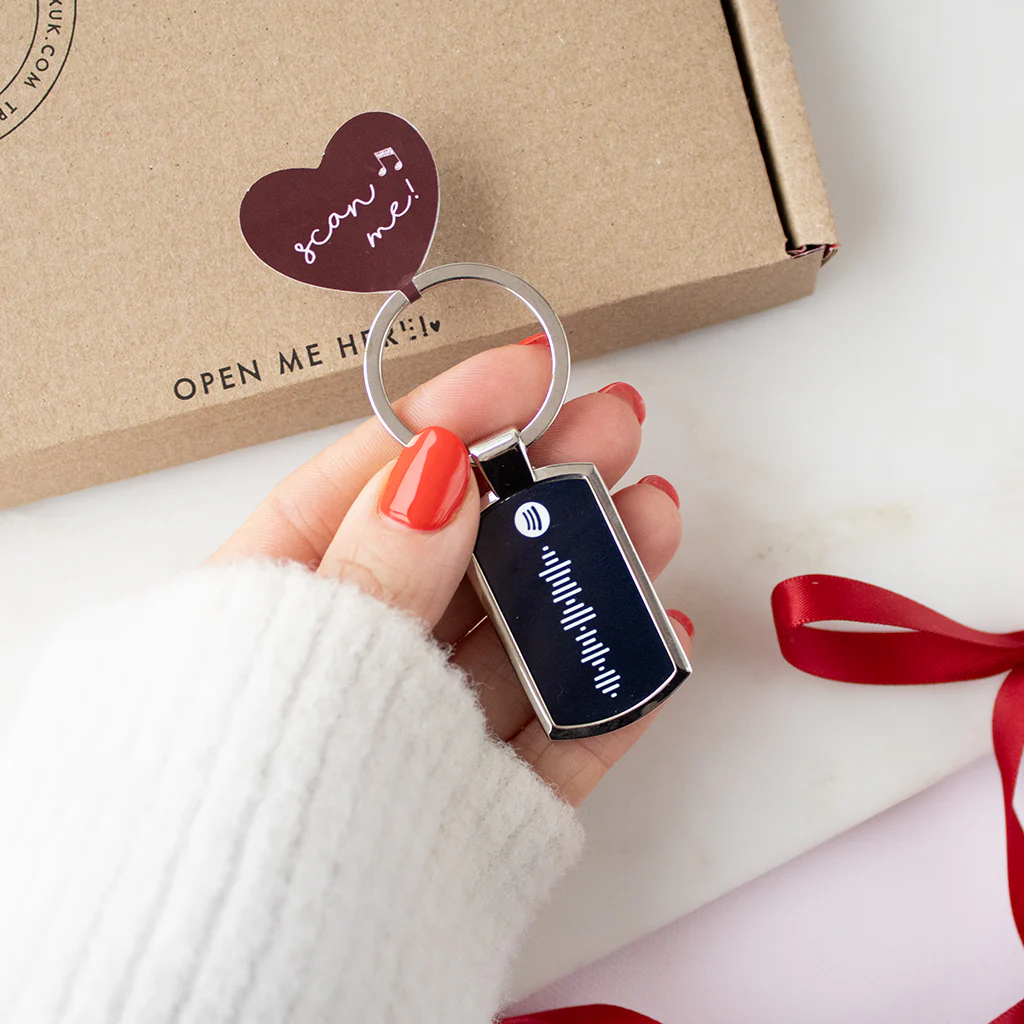
Create a unique keepsake with this personalised keyring, featuring your chosen Spotify code and a cute Valentine’s sticker.”
With dimensions of 3.5cm x 2cm, the photo area provides the perfect canvas for your memories to shine.
How to upload your song:
1. On a mobile, open the song in Spotify.
2. Tap the three dots below the song title.
3. A menu will open, scroll to 'show Spotify code'. Click this.
4. Press save to your photos
5. Come back here and insert the image into the box provided
Create a unique keepsake with this personalised keyring, featuring your chosen Spotify code and a cute Valentine’s sticker.”
With dimensions of 3.5cm x 2cm, the photo area provides the perfect canvas for your memories to shine.
How to upload your song:
1. On a mobile, open the song in Spotify.
2. Tap the three dots below the song title.
3. A menu will open, scroll to 'show Spotify code'. Click this.
4. Press save to your photos
5. Come back here and insert the image into the box provided
Description
Create a unique keepsake with this personalised keyring, featuring your chosen Spotify code and a cute Valentine’s sticker.”
With dimensions of 3.5cm x 2cm, the photo area provides the perfect canvas for your memories to shine.
How to upload your song:
1. On a mobile, open the song in Spotify.
2. Tap the three dots below the song title.
3. A menu will open, scroll to 'show Spotify code'. Click this.
4. Press save to your photos
5. Come back here and insert the image into the box provided